AI对话助手
JeecgBoot 从3.6.3+版本起,默认提供了AI助手对话功能。目前适配了多种AI模型:ChatGPT、DeepSeek、智谱AI(GLM)、私有部署AI模型,推荐使用 DeepSeek 速度更快、质量更高.
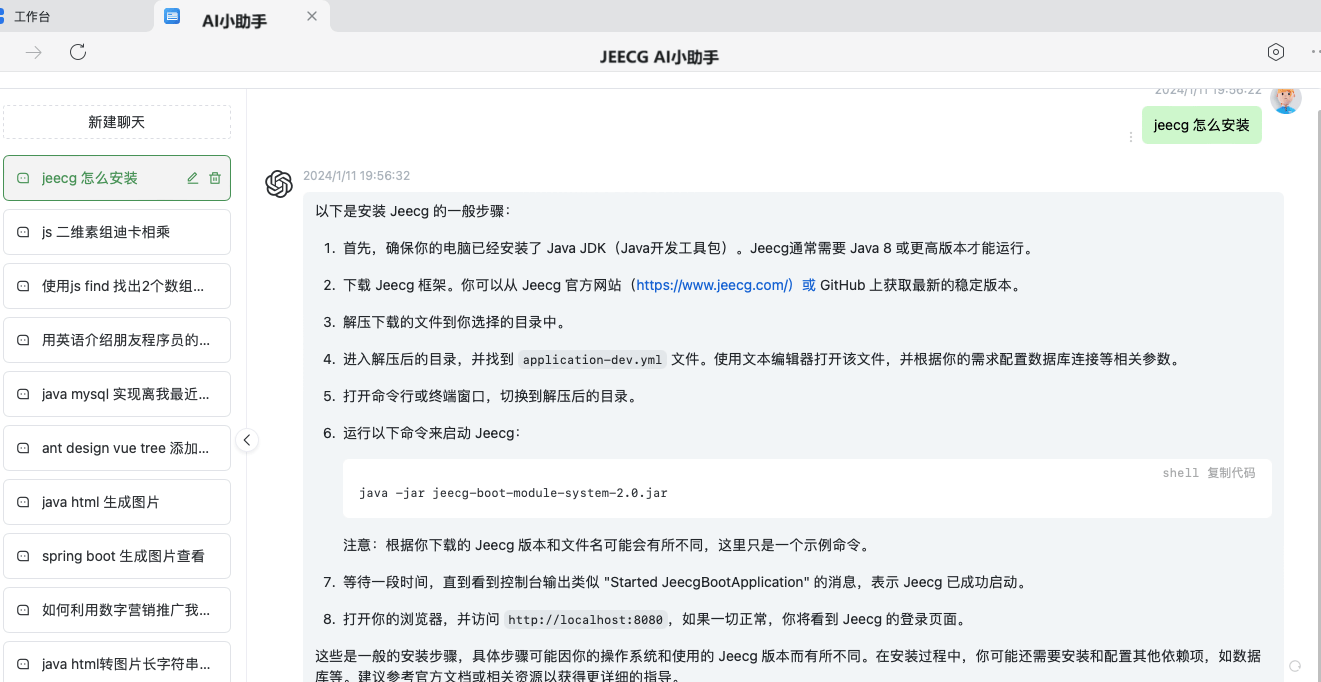
AI助手效果图
进入JeecgBoot后台首页,点击首页右上角“AI助手”,弹出AI助手对话界面。

AI大模型配置
JeecgBoot 支持四种方式配置AI大模型,最新版默认使用DeepSeek,同时还支持ChatGPT、智谱AI(GLM)和Ollama私有部署AI大模型。
具体配置如下:
修改application-dev.yml配置文件,先把jeecg.enabled开关打开。
方式一:对接DeepSeek
jeecg:
  ai-chat:
    enabled: true
    apiKey: ??
    model: deepseek-v4-pro
    apiHost: https://api.deepseek.com
    timeout: 60
方式二:对接ChatGPT
jeecg:
  ai-chat:
    enabled: true
    apiKey: ??
    apiHost: https://api.openai.com
    # 超时时间(s)
    timeout: 60
方式三:对接智谱AI(GLM)
智谱开放平台兼容 OpenAI 风格 API,apiKey 在 智谱开放平台 控制台创建。
jeecg:
  # AI聊天
  ai-chat:
    enabled: true
    model: glm-5.1
    apiKey: ??
    apiHost: https://open.bigmodel.cn/api/paas/v4
    timeout: 300
方式四:对接Ollama本地搭建AI大模型
具体文档见 私有大模型DeepSeek-R1本地搭建
jeecg:
  ai-chat:
    enabled: true
    model: deepseek-r1:14b
    apiKey: ollama
    apiHost: http://localhost:11434
    timeout: 60